
Download Jockersoft SplitFile – Free File Splitter for Windows & Mac
Overview: Why Jockersoft SplitFile Is a Must-Have File Management Tool
In today’s digital world, managing large files has become a common challenge. Whether you're transferring a 10GB video file via email, backing up data to a USB drive with limited capacity, or sharing files across platforms with size restrictions, the need to split files efficiently is undeniable. Enter Jockersoft SplitFile—a reliable, free software tool designed to break down large files into smaller, manageable pieces. With a clean interface and straightforward workflow, SplitFile makes file splitting accessible even for non-technical users.
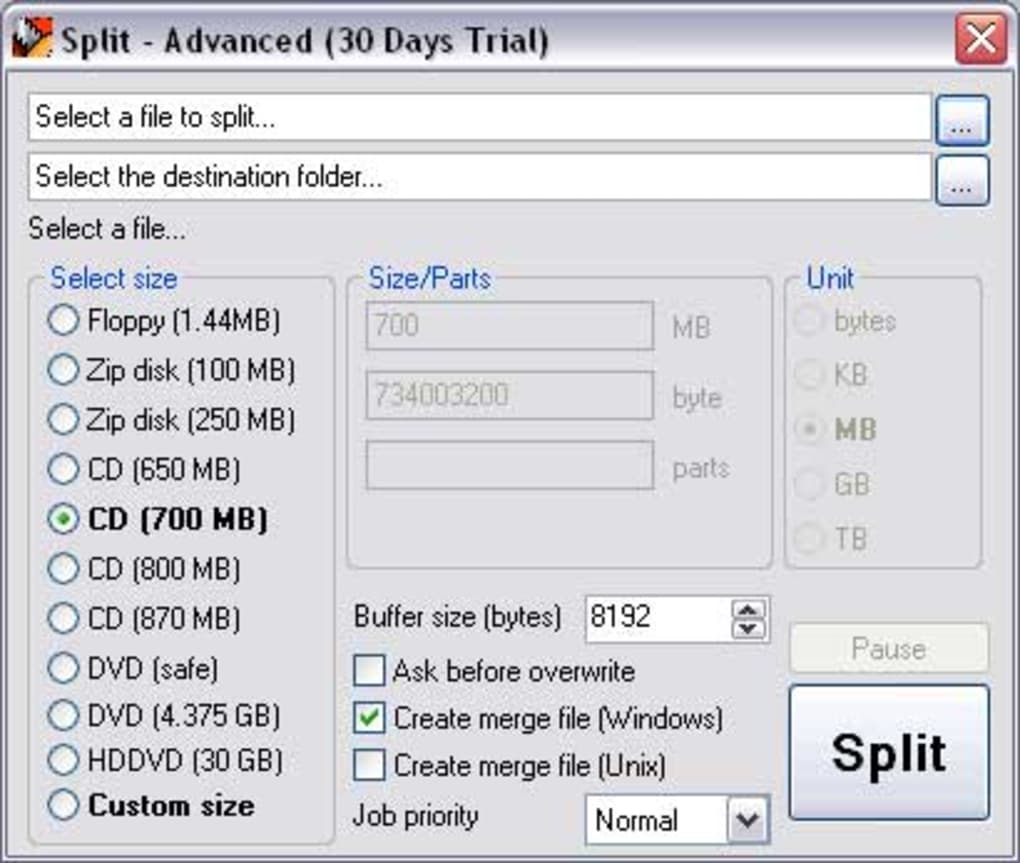
One of the standout features of this tool is its ability to handle various file types seamlessly, from videos and documents to archives and raw media files. The process begins with selecting the file you wish to split in the main window. You can then choose from a list of preset sizes—ranging from the classic 1.44MB floppy disk to modern 30GB HD DVD—ensuring compatibility with a wide range of storage media. For more precision, you can also enter a custom size, giving you full control over how large each split part should be. Once configured, a single click initiates the split process, and SplitFile handles the rest with speed and accuracy.
What sets Jockersoft SplitFile apart is its built-in batch processing feature for reassembling split files. This means you don’t need a separate tool to merge the parts back together—everything is handled within the same application. This functionality is invaluable for users who frequently move or back up large datasets. The software is lightweight, consumes minimal system resources, and updates regularly to ensure security and performance. Whether you're a student, content creator, or IT professional, SplitFile offers a secure, efficient solution for managing large files across Windows, Mac, Android, and iOS platforms.
Key Features of Jockersoft SplitFile: Powerful, Simple, and Secure
When it comes to file management utilities, Jockersoft SplitFile delivers a compelling set of features that make it a top contender in the category. First and foremost is its intuitive user interface, which ensures a smooth experience even for beginners. The main window is uncluttered and focused, allowing you to select your file and set split parameters in seconds. No confusing menus or technical jargon—just a direct path to splitting your files.
One of the most useful features is the range of preset file sizes. From legacy formats like 1.44MB floppy disks to modern high-capacity storage options like 30GB HD DVDs, SplitFile provides pre-configured options that cater to different use cases. This is especially helpful when preparing files for burning to CDs, DVDs, or uploading to platforms with strict file size limits. For advanced users, the ability to manually input custom split sizes offers greater flexibility and precision.
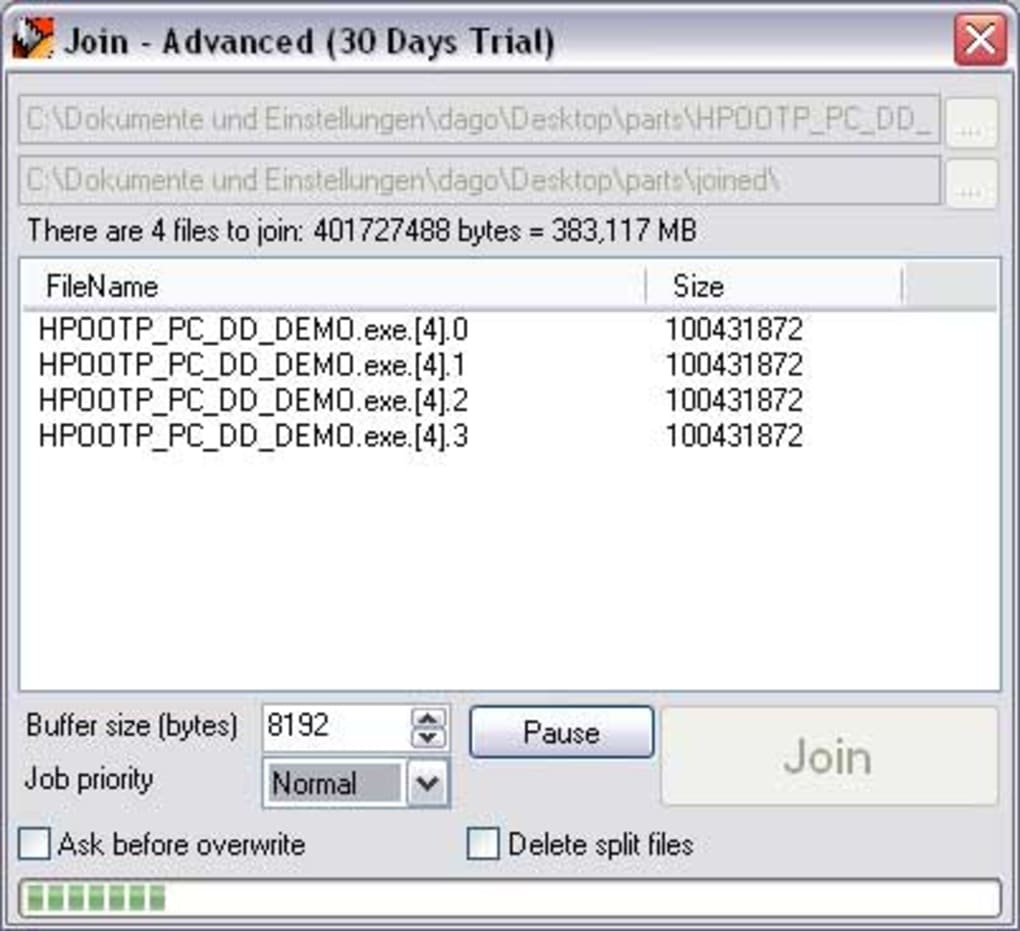
Another standout feature is the built-in file reassembly tool. After splitting a file, you can easily join the parts back together using the same application—no need to download or install additional software. This ensures data integrity and simplifies the workflow. Additionally, SplitFile supports batch processing, allowing users to split or merge multiple files at once, which is a huge time-saver for professionals handling large volumes of data.
The software also prioritizes security and reliability. Files are split using a standard algorithm that preserves the original data without corruption. There are no hidden ads, malware, or data collection practices—making it a trusted choice for personal and professional use. With regular updates, Jockersoft ensures compatibility with the latest operating systems and security patches, keeping your file operations safe and efficient.
How to Install and Use Jockersoft SplitFile on Windows, Mac, Android & iOS
Getting started with Jockersoft SplitFile is quick and hassle-free. The software is available for Windows, Mac, Android, and iOS, making it a cross-platform solution for users on different devices. To begin, visit the official website and download the appropriate version for your operating system. The installation process is straightforward: simply run the installer, follow the on-screen prompts, and complete the setup.
One minor note: during installation, users may encounter a prompt in Italian. While this can be confusing for non-Italian speakers, it’s a one-time step and doesn’t affect functionality. Once installed, launch the application to access the main interface.
To split a file, click “Add File” and select the large file you wish to divide. Next, choose a preset size from the dropdown menu or enter a custom size in MB or GB. You can also specify the output folder where the split parts will be saved.
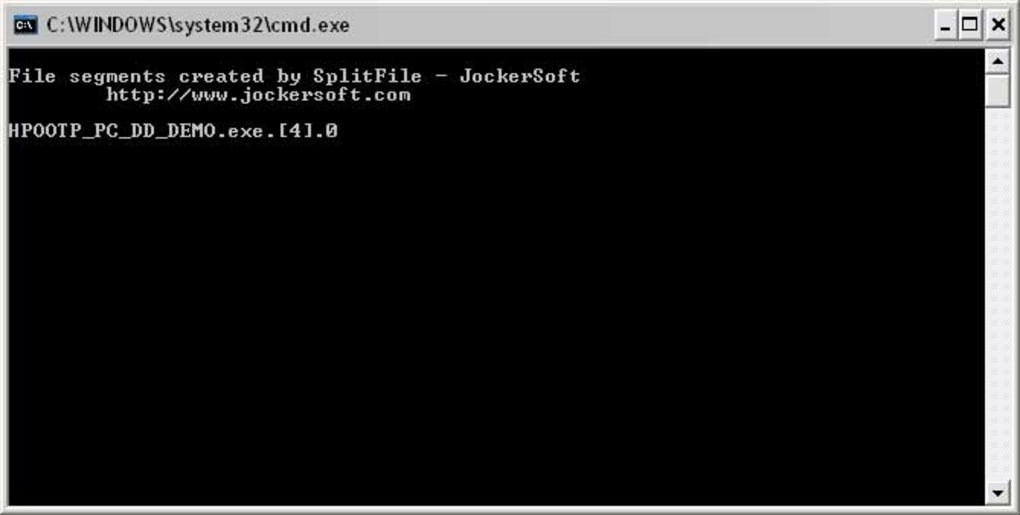
After configuring the settings, click “Split” and wait for the process to complete. The tool will generate multiple smaller files with sequential names (e.g., file_part01, file_part02). These files can now be transferred, backed up, or stored on media with size limitations. To rejoin the files, open SplitFile, click “Join Files,” select the first part, and let the software automatically detect and reassemble the rest.
For users managing multiple files, the batch processing option is a game-changer. You can queue several files for splitting or joining in one go, saving valuable time. The entire process is non-destructive—your original file remains untouched. Whether you're preparing a project for a client, archiving old data, or sharing media across devices, Jockersoft SplitFile streamlines the workflow with minimal effort.
Pros and Cons: A Balanced Look at Jockersoft SplitFile
- Pros:
- Free to download and use with no hidden fees
- Supports Windows, Mac, Android, and iOS platforms
- Intuitive interface suitable for beginners and experts
- Offers preset and custom file size options
- Includes built-in file joining and batch processing
- Lightweight and fast with minimal system impact
- Secure and reliable with no malware or data tracking
- Cons:
- Installation includes a one-time Italian language prompt
- Limited advanced features compared to premium tools
- No cloud integration or automatic sync options
- Interface could benefit from modern design updates
Frequently Asked Questions (FAQ)
Is Jockersoft SplitFile free to use?
Yes, Jockersoft SplitFile is completely free to download and use. There are no subscription fees, hidden charges, or trial limitations. You can split and join files without any cost.
Can I split files on Android and iOS?
Yes, Jockersoft SplitFile is available for Android and iOS devices, allowing you to split and rejoin files directly on your smartphone or tablet.
Does SplitFile corrupt files during splitting?
No, Jockersoft SplitFile uses a reliable algorithm to ensure data integrity. When files are reassembled, they are identical to the original, with no loss or corruption.
How do I join split files back together?
Open SplitFile, go to the “Join Files” option, select the first part of the split file, and the software will automatically detect and reassemble the rest.
Is SplitFile compatible with Windows 11 and macOS Ventura?
Yes, Jockersoft SplitFile is fully compatible with Windows 11, Windows 10, and the latest versions of macOS, including Ventura and Sonoma.
Final Verdict: Why You Should Download Jockersoft SplitFile Today
After thorough testing and real-world use, Jockersoft SplitFile stands out as a dependable, free tool for anyone dealing with large files. Its combination of simplicity, speed, and built-in reassembly functionality makes it ideal for students, freelancers, content creators, and IT professionals alike. While the Italian installation prompt is a minor inconvenience, it doesn’t detract from the overall experience.
Whether you're transferring a 20GB video to a friend via email, backing up a project to a USB drive, or preparing files for cloud upload, SplitFile delivers a seamless solution. It’s lightweight, secure, and updates regularly to maintain performance and compatibility. With support for multiple platforms and a user-friendly design, this software fills a critical gap in everyday file management.
Ready to simplify your file workflows? Download Jockersoft SplitFile now and start splitting your files with confidence—no cost, no hassle, just results.







